
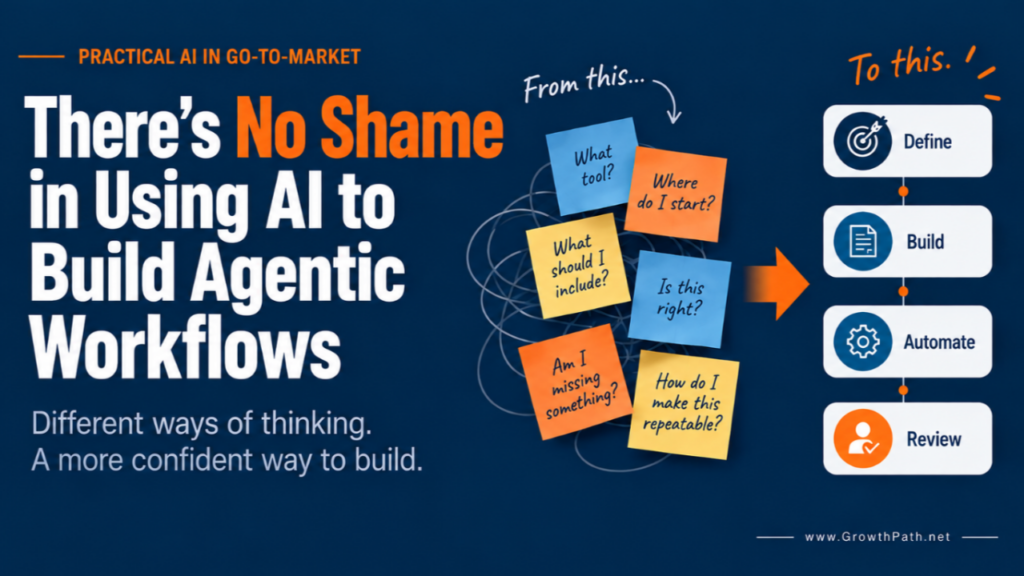
Using AI as a chatbot lets you work one prompt at a time. Building an agentic workflow asks you to make more of the work explicit: the goal, context, steps, quality bar, and where a human should review or decide. Helping people build workflows has made me much more aware of how differently we think.
I started my career as an electrical engineer, then quickly moved into marketing. I still tend to break problems into steps, look for gaps, and test the result, so some of this comes naturally to me. But you do not need an engineering background to build agentic workflows. Someone else may see the whole picture first, learn by doing, need to talk an idea through, or understand something faster when they can see it. Those approaches can work too.
I wrote about this in AI Made Me More Human. The practical question I’ve been thinking about since is what to do when building this kind of workflow doesn’t match the way you naturally think.
AI can help with that too. You can use it to help design the process, build the checks, and find gaps in your own thinking. Using AI to help you build the workflow is a smart use of the tool. You still bring the judgment about what the work should accomplish and whether the result is good enough.
Quick Take
Building agentic workflows asks more of us than chatting with AI. AI can help us build them.
- Ask AI to help you find the process. Plan it first, or do the work and have AI capture what worked.
- Build quality into the work. Ask AI to help define the checks, flag uncertainty, and identify where human review should happen.
- Use AI to challenge the work. Have it question assumptions, weak evidence, and blind spots.
- Start small and improve over time. Once something works, ask AI what would be useful to add next.
Watch or Listen Instead
To support different ways of processing information and different time constraints, this newsletter is also available as a 6-min AI video explainer and 20-min AI podcast with two AI hosts. Both were created with Gemini Notebook and reviewed by me for accuracy and responsible AI use.
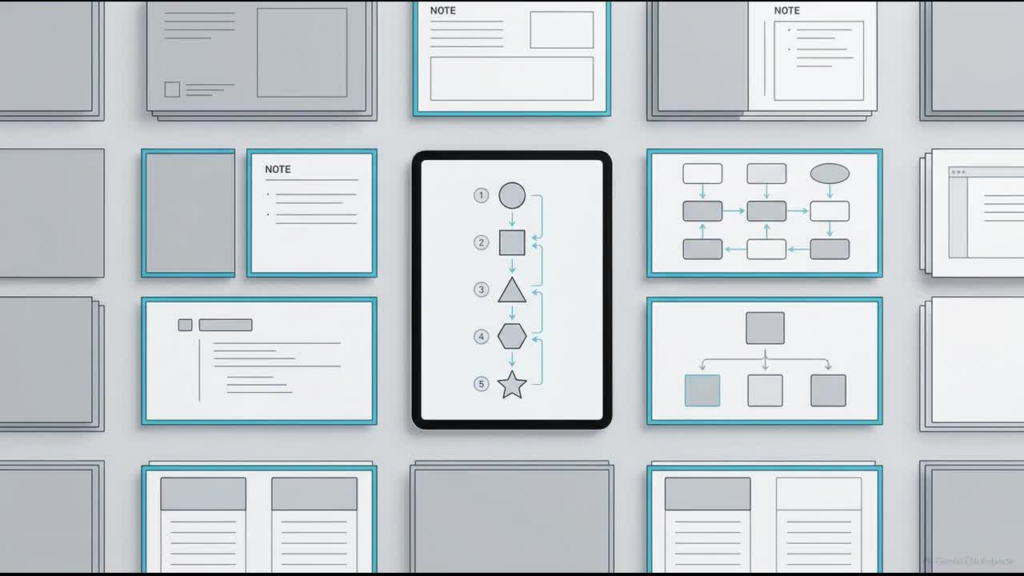
AI Still Makes Us Do a Lot of the Adapting
I see this firsthand in workshops. I can show the same AI workflow as a flowchart or explain it through cooking. Some people understand the sequence faster when they see the steps. Others grasp it faster when inputs become ingredients, instructions become the recipe, and human judgment becomes the taste test.
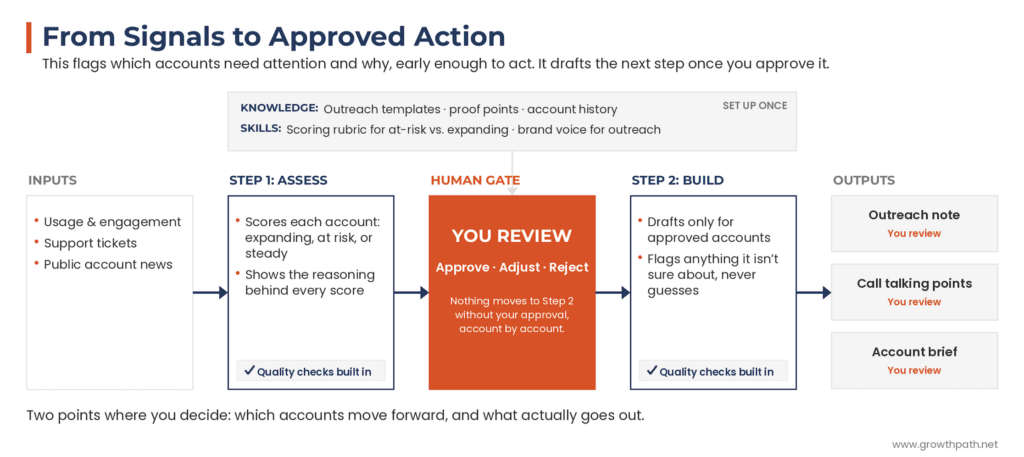
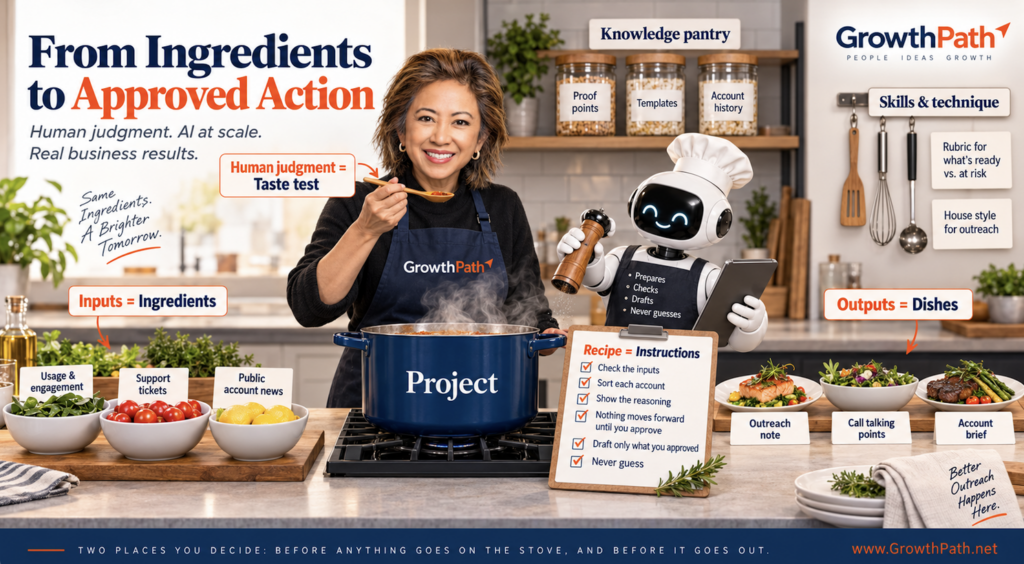
It’s the same workflow with two ways to make sense of it.
Technology has gone through this before. Early smartphones were tough to use with tiny keyboards, styluses, and clunky menus. Over time, the products became easier to use. Now, a 4-year-old can use it. We didn’t all become technologists. The technology got better at meeting us where we were, and I expect AI to do the same.
Brian Laird, Marketing AI Strategy & Enablement Manager at Trimble Inc., and I worked together to design the ideal combination of training formats for the team in building agentic workflows.

“AI training is not one-size fits all. We showed the same workflow as a demo, a simple map, and a hands-on exercise. Different people connected with different parts, and that helped more of the team start building.”
A Quick Word on Agentic Workflows
An agentic workflow is a repeatable process where AI does more than answer one prompt at a time. You give it the goal, instructions, knowledge, and guardrails, and it can work through several steps, apply reusable instructions or skills, check its work, and stop when you need to review or decide. It can also use tools, access systems, create files, and navigate your computer.
You don’t need to know how to build an agent to start. A regular AI chat can help you design the workflow, write the instructions, define the checks, and decide what to build next.
If you want to see what a fully built agentic workflow looks like end to end, I walk through one in Stop Telling People to Reimagine Work With AI. Show Them.
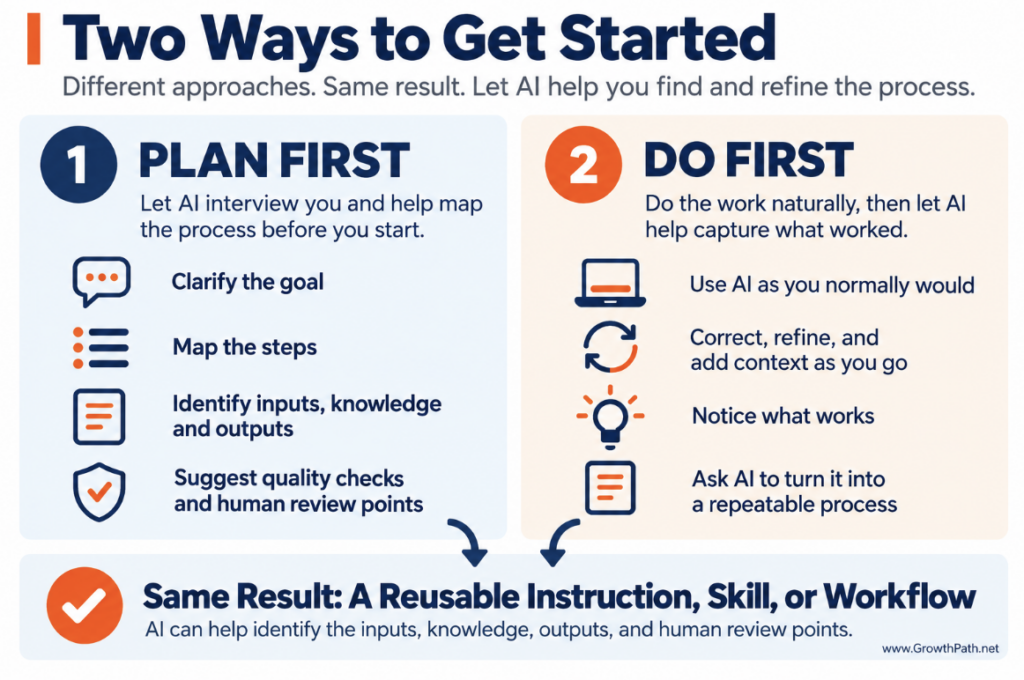
1. Let AI Help You Find the Process
You don’t need the whole workflow figured out before you start. AI can help you turn the work into a repeatable process.
If you like to plan first
Ask AI to interview you before you build anything. Describe the work, then let it ask questions and help map a simple process.
“Help me with [describe the work]. Ask me the questions you need to understand the goal, inputs, knowledge, outputs, steps, quality checks, and where human judgment belongs. Then suggest a simple repeatable process. Keep it as simple as possible.”
You don’t need to decide upfront which form it should take. How you save or package it depends partly on the AI tool you’re using. Get the process clear first, then let AI help you figure out what to build around it.
If you prefer to learn by doing
Start the work and use AI as you normally would. Add context, correct it, change direction, and tell it when something is off. Once you reach a result you like, ask AI to help capture what worked.
“Look back at how we did this. What steps did we follow? What information helped? Where did I correct or redirect you? Where did I use judgment? What quality checks did we use? Turn what worked into a repeatable process and flag anything you’re unsure about.”
This works especially well when you know the work but have never had to spell out every step. Work the way you naturally do, then let AI help make that know- how easier to reuse.
2. Let AI Help You Build the Quality Checks
Once AI starts doing repeatable work, ask it to help define how that work should be checked.
In the account workflow above, AI scores each account, explains its reasoning, and checks the assessment before you review it. After you approve an account, it creates only the agreed outputs and flags anything it isn’t sure about instead of guessing.
Those checks can live in the workflow instructions, a reusable skill, or both, so they run every time.
When AI finds a problem, decide what should happen:
- Fix it automatically when the issue is straightforward, such as a missing section or formatting error.
- Flag it for you when more context or verification is needed.
- Suggest a fix and wait when you want to approve the change.
- Stop for human judgment when the decision involves accuracy, risk, customer context, or a business call AI shouldn’t make.
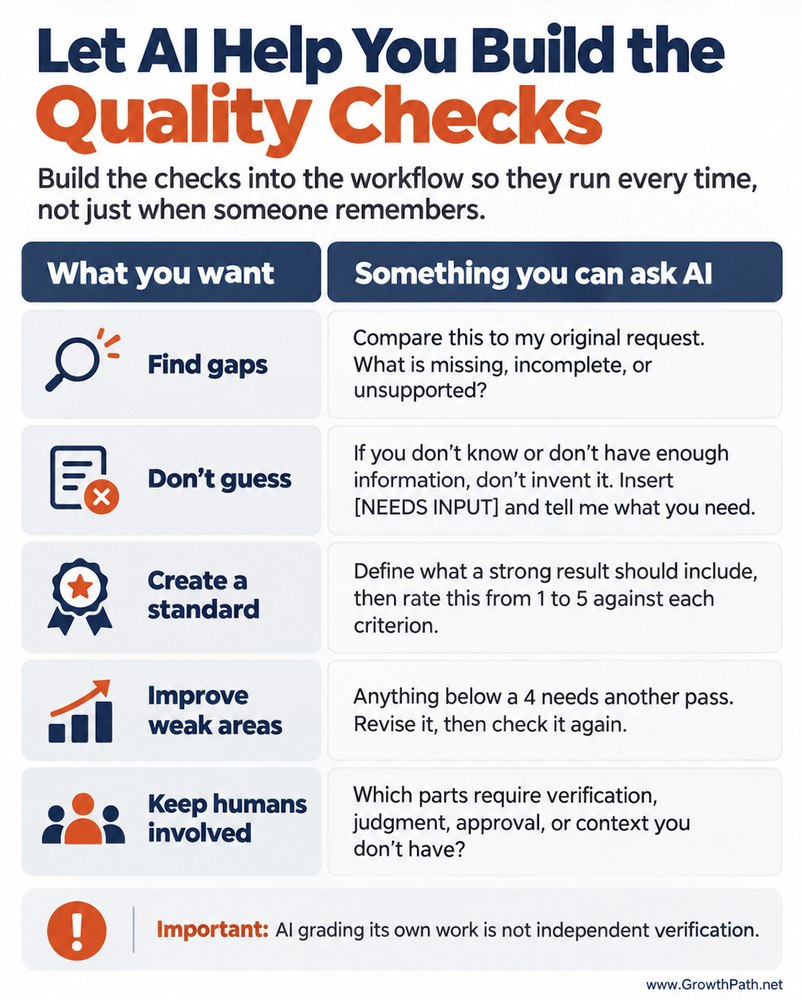
You can also create a simple QA loop:
“Check this against the rubric. If anything scores below a 4, revise it and check again. Stop after three passes or when every criterion reaches 4 or higher.”
Set a limit. Each pass uses more tokens, and more passes don’t always improve the result.
The checks can improve the workflow too. If the same problem keeps showing up, ask whether the instructions, skill, knowledge, or rubric need to change so you aren’t fixing the same issue every time.
AI checking its own work is still not independent verification. It can catch gaps, apply repeatable standards, and tell you where human review is needed.
3. Let AI Help You Challenge AI
Quality checks help when you already know what good looks like. Sometimes you need help finding what you haven’t thought to question.
Ask AI to take another perspective:
“Review this as a skeptical colleague. Which assumptions would you challenge? Where is the evidence weak? What could I be missing?”
Change the perspective based on the work. Ask it to think like a customer, CFO, editor, subject-matter expert, or someone who disagrees with your recommendation.
You can do this with the same AI. For selected work, I also use a second AI as another sparring partner to see whether it catches something different.
Lynne Kingsley, CMO at Ironmark, has been helping her team build with AI while keeping human judgment at the center.

“I like using AI as a check on our own thinking. It can help us separate what we know from what we’re assuming, show us where the evidence is thin, and tell us when we need another perspective or a human conversation. The AI can push our thinking, but the judgment still belongs to us.”
I used that approach with this newsletter. One AI helped me work through the idea, and another reviewed it for gaps. I agreed with some of the critique and disagreed with some.
Two AIs agreeing still doesn’t make something true. They can share the same blind spots or bad information. Use AI to question the work, then use your own judgment to decide what to verify, trust, or change.
Think Big, Start Small, Move Fast
You don’t need to build the full workflow at once. Start with the smallest version that produces a useful result.
In the account workflow above, that could mean starting with Step 1: identify which accounts need attention and explain why. Once you trust that part, ask AI what would be useful to improve or add next.
It might suggest better inputs, reusable knowledge, stronger quality checks, another output, or more automation. You still decide what is worth adding and where human review belongs.
You can ask:
“Look at how this workflow works today. Recommend one or two useful next improvements, explain why, and tell me where human review should be.”
A small working version gives you evidence and confidence to build the next one.
Once the workflow is running, track what AI recommended, what people changed, and what happened afterward. Over time, ask AI to identify patterns across cases and suggest improvements to the workflow, instructions, and quality checks. Have people review and test those changes while also learning when to trust AI and when to question it.
Give Yourself, and Other People, Some Grace
Building this way comes more naturally to some people than others. That is not a measure of what someone can contribute in a Human+AI world.
Someone may struggle to turn expertise into a neat sequence of steps and still be excellent at reading people, understanding customers, seeing connections, or sensing when an answer is off before they can explain why. Those strengths belong in Human+AI work too.
If part of building a workflow doesn’t come naturally, ask AI to help with that part. And if you’re helping someone else learn, give them more than one way to get started.
The Practical AI in Go-to-Market newsletter shares learnings and insights in using AI responsibly. Subscribe today and let’s learn together on this AI journey.
For applied learning: Explore our applied AI workshops, offering both strategic sessions to shift mindsets through practical AI uses and hands-on sessions to build human+AI workflows. You’ll leave with either a clear plan or working solutions. Office hours provide follow-on support to keep momentum going.
For ongoing advisory: I work with leaders as a strategic advisor through their AI transformation, providing guidance, frameworks, and a sounding board as they build. If that’s what you need, let’s talk.
For team transformation: I partner with GTM leaders to move from scattered AI adoption to an operating model where human and AI teammates work together across workflows.
For speaking: Here are virtual and in-person events where I’ve covered a variety of AI topics. I’ve also keynoted at many conferences and corporate events.
If any of this resonated, I’d love to hear from you. Reply to this email, find me on LinkedIn, or come say hi at an event.